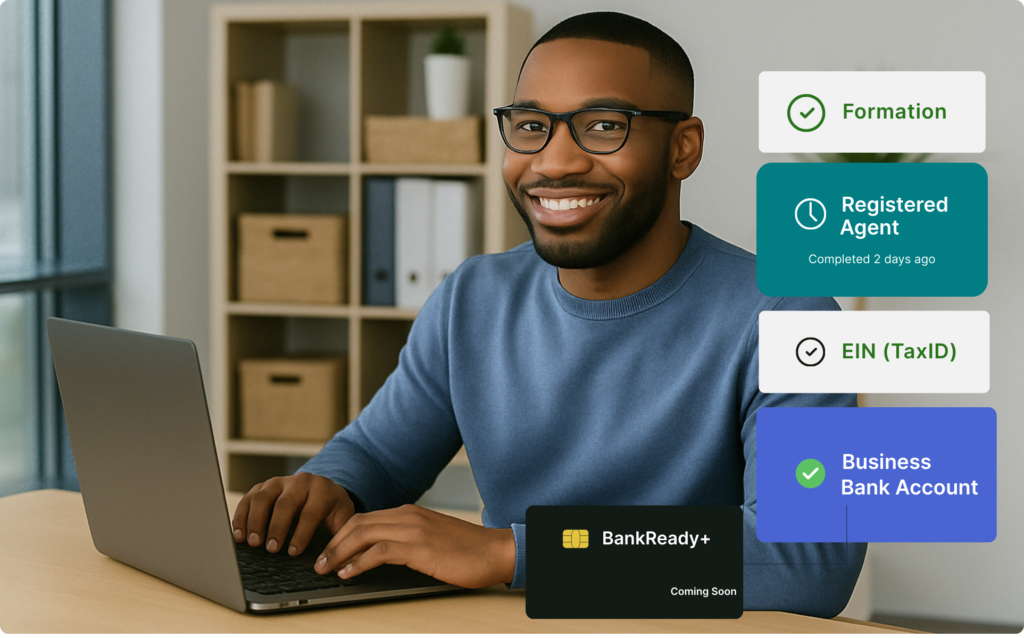
What Is a Lender-Ready LLC and Why It Matters
Most entrepreneurs believe forming an LLC is enough to make their business “official.” But when it comes to getting funding, opening a business bank account, or applying for credit, a basic LLC won’t cut it.
A Lender-Ready LLC is built with both compliance and funding-readiness in mind. That means it not only meets state requirements — it’s also structured to pass underwriting checks, meet banking regulations, and qualify for funding.
Many founders unknowingly skip key credibility steps that banks and lenders look for. This guide walks you through the full process of setting up a lender-ready LLC in 2025.
1. Choose a Strategic Business Name
Your name isn’t just about branding — it plays a major role in how underwriters, payment processors, and customers perceive your business. Here’s how to get it right:
- Google the name to see if it’s already in use
- Check the USPTO database to avoid trademark conflicts
- Search social platforms (Instagram, LinkedIn, etc.)
- Avoid high-risk terms like “credit repair,” “loan,” or “real estate investing”
All Growspera plans include a comprehensive business name search
2. Choose the Right NAICS Code
The NAICS code identifies what your business does — and can affect funding approval, insurance rates, and more. Some codes are flagged as high-risk by lenders.
- Use the official NAICS search tool
- Choose a code that accurately reflects your primary activity
- Avoid codes tied to adult services, high-chargeback industries, or financial consulting
3. Secure Your Domain Name Early
Your domain name is digital real estate. Make sure it reflects your business and matches your name.
- Register your domain through Namecheap, GoDaddy, or Google Domains
- Aim for .com, but .co or .io are acceptable backups
4. Set Up a Business Website
Even a single-page website boosts trust. Lenders and verifiers often check your website before issuing approvals.
- Use simple builders like Wix, Squarespace, or GoDaddy
- Include your business name, services, address, and contact info
- Make sure your email and business name match
5. Create a Professional Business Email
Skip the Gmail. Use a business email tied to your domain for all applications, banking, and client communication.
Format: ceo@yourbusiness.com
Tools: Google Workspace, Zoho Mail, Microsoft 365
6. Create Social Media Profiles
Even if you’re not active on social yet, set up your pages for verification and visibility.
- Facebook Business Page
- LinkedIn Business Page
- Instagram or TikTok (optional, but helpful for certain industries)
7. Use a Real Business Address
Your business address appears on public records, loan applications, and bank profiles. It’s also one of the first credibility markers that funders verify.
- Avoid PO Boxes or anything labeled “PMB” (Private Mailbox) — banks will likely reject it
- Use a virtual office provider with a real street address: iPostal1, Opus Virtual Offices, Alliance, or Regus
This address can double as your LLC mailing address and public business address.
8. Set Up a Business Phone Number
A dedicated number adds legitimacy and helps you keep personal and business calls separate. Funders and credit agencies check for this.
Options:
- Toll-Free (800, 888) → Great for national presence
- Local VoIP → Use providers like OpenPhone, Grasshopper, RingCentral
Many services allow call forwarding, voicemail, and business hour settings
9. File Your Articles of Organization
This step legally forms your business with the Secretary of State.
- Submit online or by mail through your state’s official website
- NY-specific guide: Form an LLC in New York (placeholder)
- Growspera customers get done-for-you filings with one-click setup
10. Get Your EIN the Right Way
Your EIN (Employer Identification Number) is like your business’s SSN. It’s required to open bank accounts, file taxes, hire employees, and build credit.
- Always file after your LLC is approved
- Apply online via the IRS EIN portal
- EIN is included free with all Growspera plans
11. List Your Business in Key Directories
Business directories show that your company is real, reachable, and verified.
Add your business to:
- 411 Directory (through VoIP or phone carrier)
- Dun & Bradstreet (D&B)
- Google Business Profile (optional but helps for local SEO)
Use the same business name, address, and phone number across all platforms (NAP consistency)
12. Open a Business Bank Account
A business account is required to separate your finances — and essential for building credit and receiving funding.
What banks require:
- EIN
- Articles of Organization
- Operating Agreement
- Real physical address (virtual office OK if not PMB)
Avoid using your home or P.O. box if possible.
13. Get Your D-U-N-S® Number
A DUNS number is a unique 9-digit ID from Dun & Bradstreet. It helps build your business credit profile and is required for many corporate, government, and enterprise contracts.
- Apply for free through D&B: Get your DUNS Number
- Required for Apple Developer Accounts, government bids, and enterprise vendors
What Happens If You Skip These Steps?
Skipping foundational steps might not stop your LLC from forming — but it will likely stop you from getting funding, opening a bank account, or passing verification checks.
Common issues that delay or deny funding:
- Using a personal Gmail/Yahoo on your EIN
- Mismatched address across filings and accounts
- High-risk NAICS code flagged by lenders
- Missing DUNS or no 411 listing
- No website, no business phone
Lenders check for these signals before ever pulling your credit.
Get a Lender-Ready LLC Without Guesswork
With Growspera’s BusinessReady+ plans, you don’t just get paperwork — you get a fully structured business, designed to pass real-world checks from banks, lenders, and credit bureaus.
✅ EIN included
✅ Registered Agent included
✅ Address + Compliance guidance
✅ Built-in Credibility Boosts
✅ No upsells — just outcomes